
Product ID mode
DefaultWorks for products even when SKU data is incomplete.
/collections/new-arrivals?handle=pin-launch&ids=812345,812346
Shopify collection merchandising
Build collection links that open with selected products pinned above the rest of the grid, while shoppers stay on the Shopify collection page they already understand.
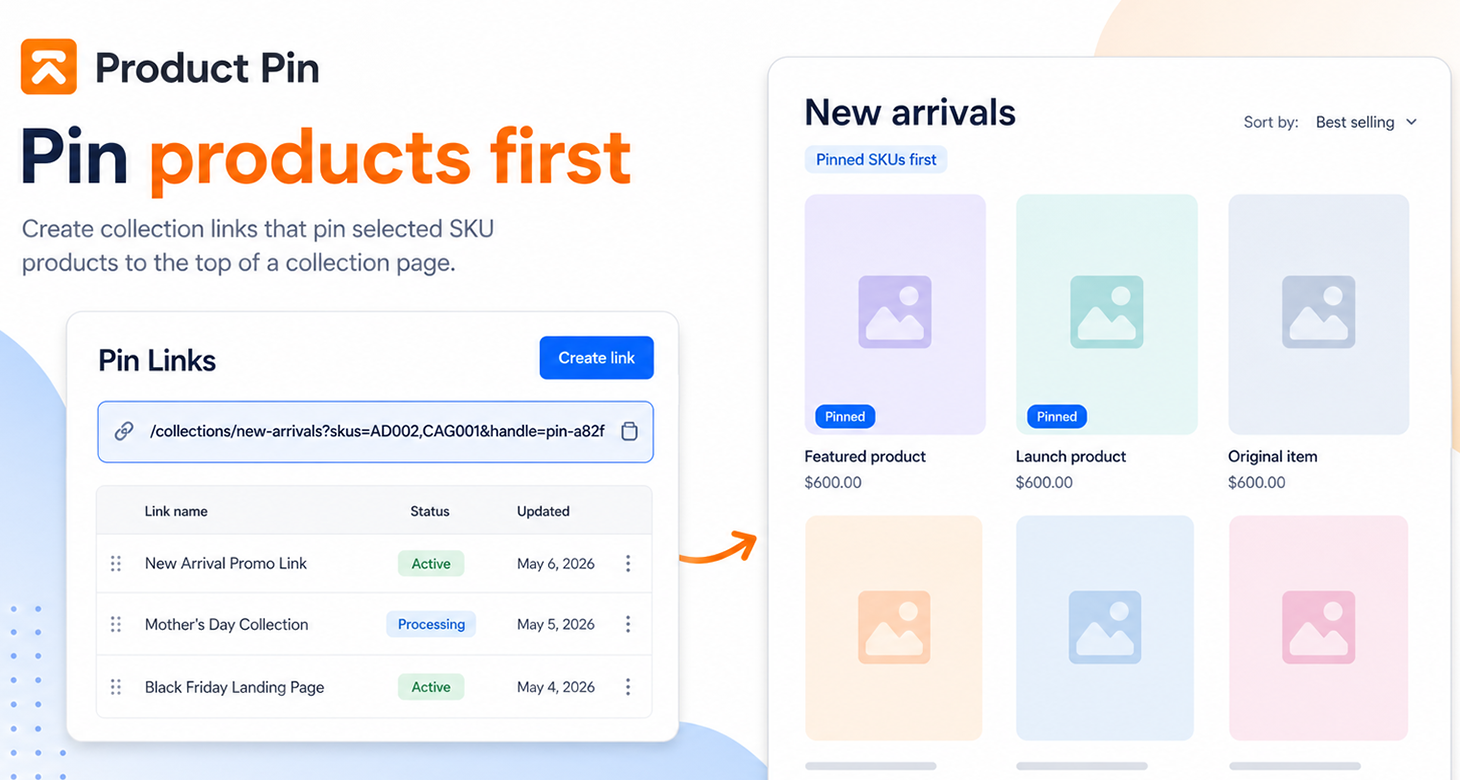
Generated links
Product Pin supports the default ID-based flow and a SKU-based flow for teams that organize campaigns around SKU lists.
Works for products even when SKU data is incomplete.
/collections/new-arrivals?handle=pin-launch&ids=812345,812346
Useful when your merchandising team plans campaigns around SKU values.
/collections/new-arrivals?handle=pin-launch&skus=AD002,CAG001
Workflow
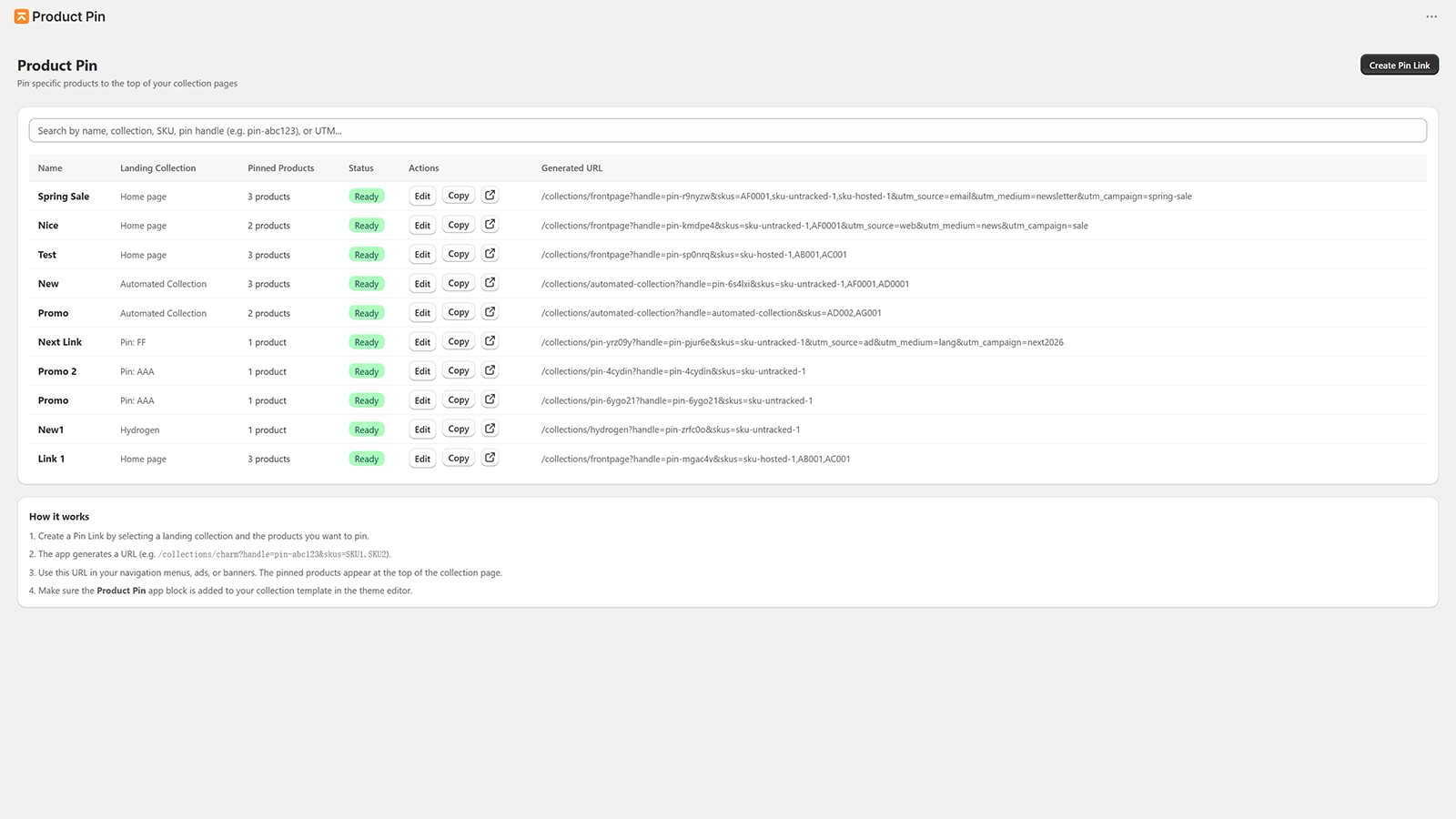
Pick the collection page shoppers should visit, such as New arrivals, Gifts, Sale, or a campaign category.
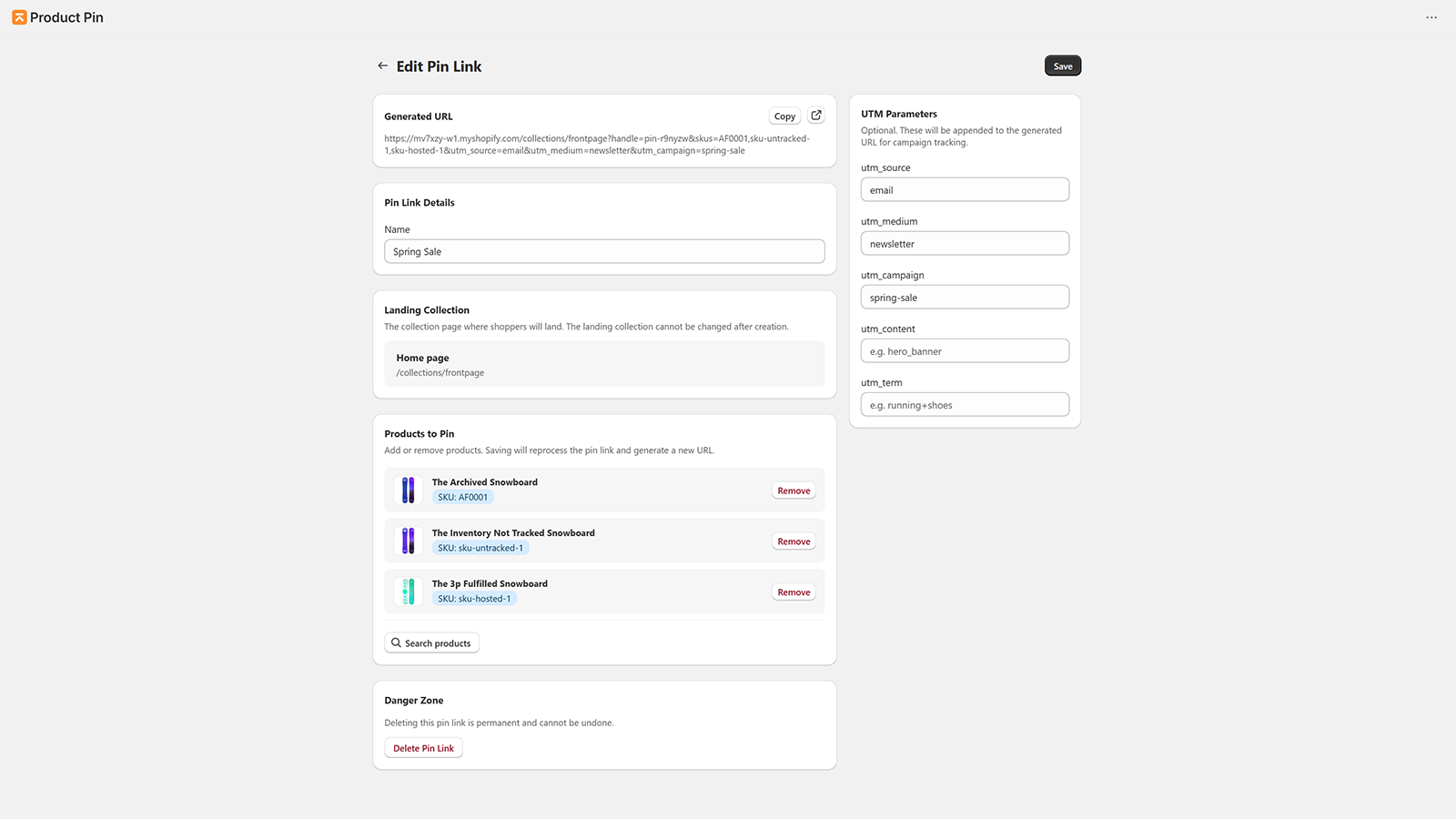
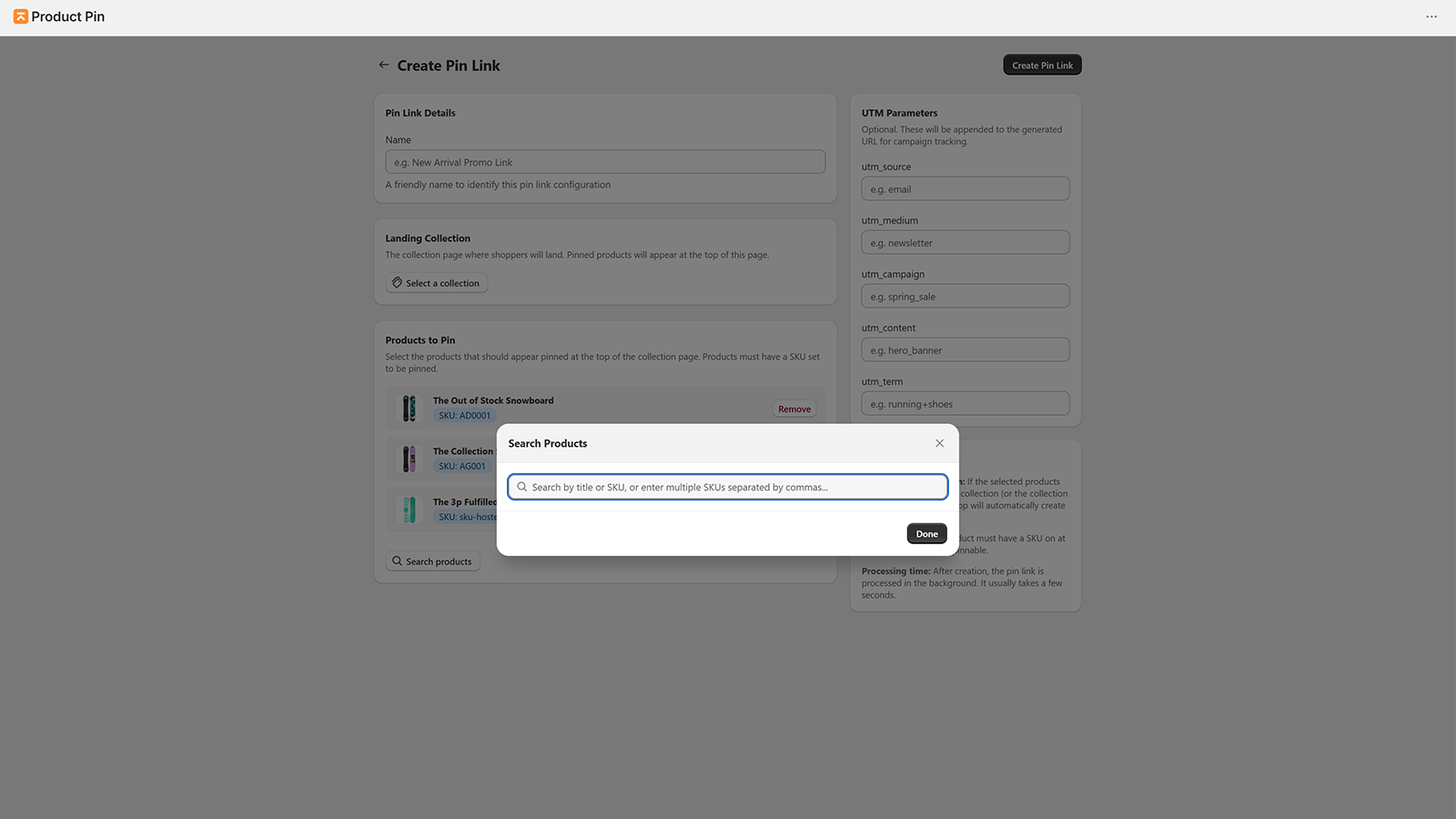
Search Shopify products and define the products that should appear first when the link opens.
The app generates the storefront URL and creates a helper collection when Shopify collection constraints require one.
Use the generated link in email, ads, affiliates, social posts, and merchandising placements.
Theme snippet
Reads generated URL parameters and keeps the collection page native.
Inside the app
Capabilities
Pricing
For validating pinned collection links on a focused campaign.
$0
/month
For stores running pinned links across active merchandising campaigns.
$4.99
/month
It generates collection links that bring selected products to the top of supported Shopify collection pages.
No. Product ID mode is the default. SKU mode is available when your campaign workflow depends on SKU values.
Shopify collection queries have practical storefront constraints. Product Pin can create a focused helper collection so the generated link can resolve pinned products reliably.
No. Product Pin uses a theme snippet so the experience stays inside your existing collection page.
Shopify Product Pin